


Windshield Wiper Pressure Mapping
Utilising a tactile pressure sensor, the Wiper™ System measures wiper blade to windshield interface force profiles under various testing conditions.
The Wiper system measures the force distribution along the entire length of the blade at different positions on the windshield, providing important insights to improve design. It is used as a research and development tool to improve blade and wiper system performance under different conditions such as “lift-off.”
Windshield Wiper Pressure Mapping
Key Features:
- Map the force distribution along the wiper blade
- Access real-time or recorded data
- Dynamic measurement for “lift-off” testing
- Collects and consolidates static measurements at different angles to capture the full wiper cycle
- Graphic and analysis capabilities

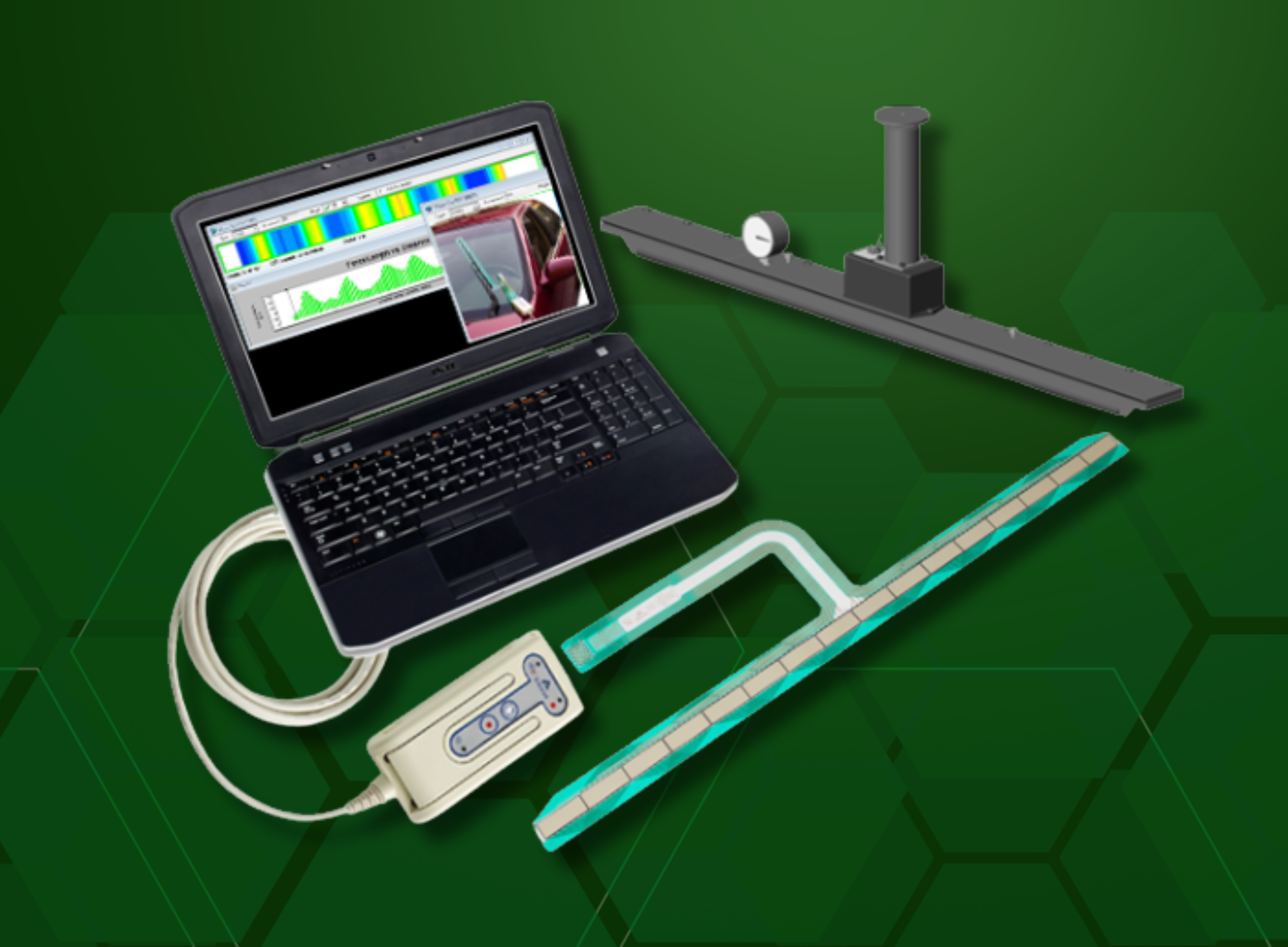
Wiper System Components
Key Features:
-
Tactile pressure sensor – model 9920
- Evolution™ Handle – (data acquisition electronics) connects to the sensor to gather data, process it, and send it to the PC via USB connection.
- PB5E equilibration device – the equilibration process compensates for any variation or uneven output across individual sensing elements caused by manufacturing or repeated use of the sensor.
- Wiper™ Software CD
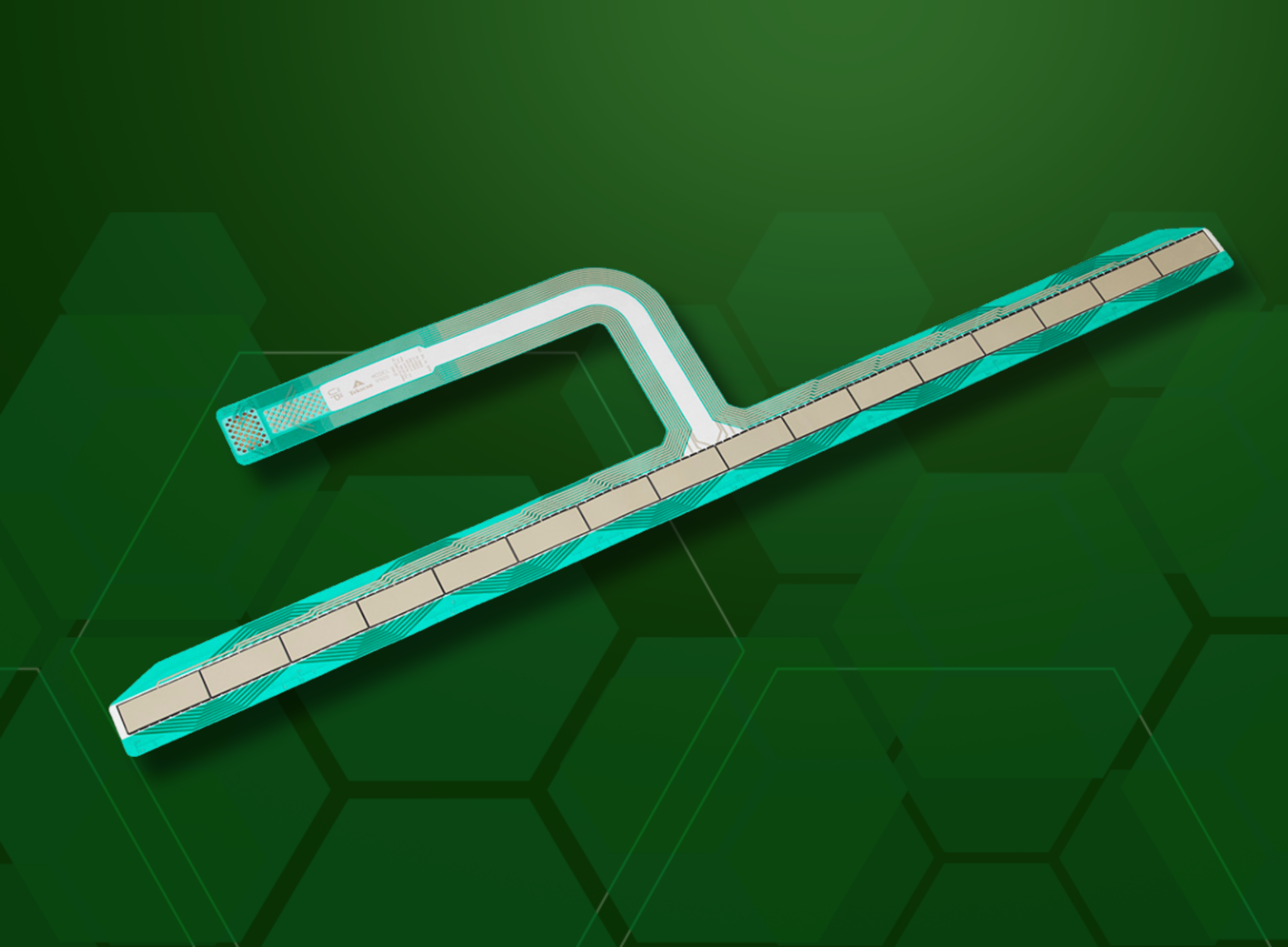
Wiper Blade Sensor – 9920
Key Features:
-
Minimally intrusive, flexible, thin-film sensor
- Specifically designed for use with wiper blades
- Durable and reusable
- Thin & incompressible – dimensional stability is key for repeatable measurements
Wiper System Software
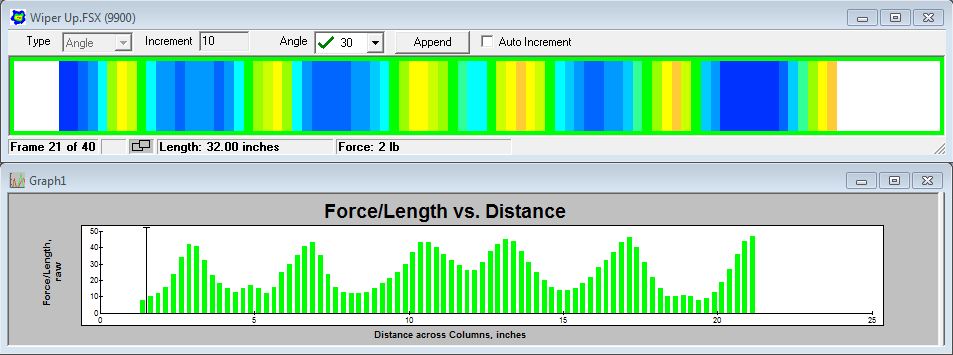
Force output measured: wiper blade at 30° angle on windshield – Output displayed graphically: Force vs. Distance across sensor rows
Key Features:
